

Kindle Book Promotion Sites: Match the Placement to the Offer
Choose the Kindle offer first, then the newsletter product. A free purchase, a paid discount and subscription reading need different eligibility checks and campaign expectations.
Official conditions checked on 17 October 2026. Compare six placement options, coordinate retailer and newsletter dates, and budget using the actual royalty mechanism.
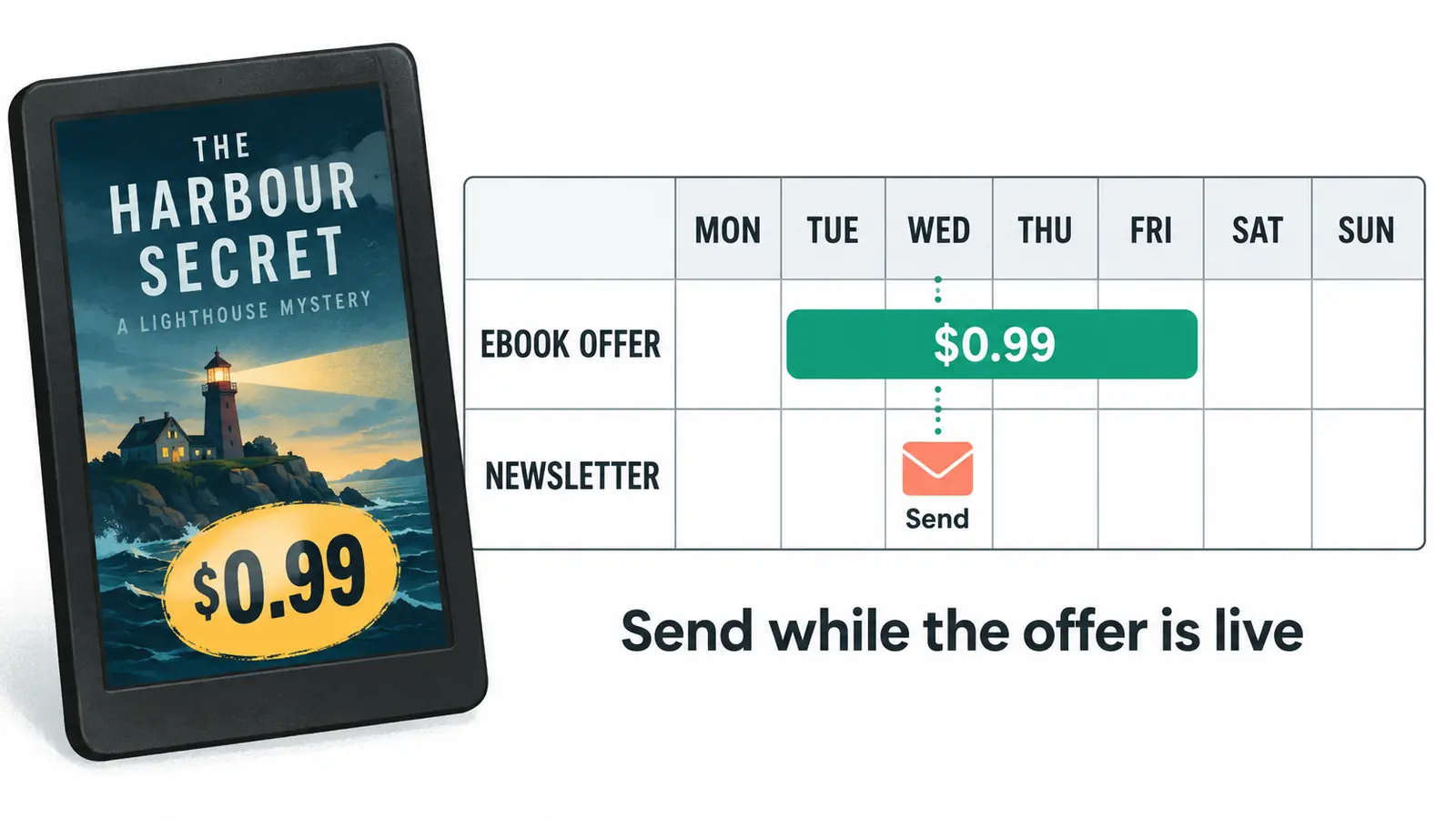
Kindle book promotion sites: start with the offer, not the newsletter
Choose what a reader will see on the Kindle edition: a genuinely free purchase, a discounted paid purchase or a subscription-reading option. Only then compare the promotion products that accept it. A Kindle Unlimited inclusion is not a zero purchase price for everyone.
Conditions checked: 17 October 2026. This guide compares published requirements, not independently measured campaign returns. Fees are USD examples for specific placements; verify the current checkout and available dates. For the broader fee comparison use best book promotion sites.
The retailer offer is configured through KDP; the external feature is booked with its operator. Neither calendar is managed by Virtalibry, and a confirmation on one does not confirm the other.
| Mechanism | Core eligibility / scope | Booking implication |
|---|---|---|
| Free Book Promotion | KDP Select; up to five free days per 90-day term; Kindle marketplaces | Use a free-ebook placement and confirm the live zero price. KDP free-day rules |
| Kindle Countdown Deal | KDP Select for at least 30 days; Amazon.com / Amazon.co.uk; up to seven days | Match paid-book slots to the actual price stage. KDP Countdown rules |
| Ordinary list-price change | Not the same product as a Countdown Deal; permitted prices and royalties still apply | Allow processing time and verify the live edition. KDP timelines |
| Kindle Unlimited availability | Subscription reading, not an offer of a free retail purchase | Do not submit as a free ebook solely because KU is available |
Scheduling a price promotion does not itself reserve an external newsletter or guarantee purchases. Conversely, buying a newsletter placement does not change the Amazon price. Keep these as separate tasks with separate confirmations.
1. Match the product to the Kindle price
| Product | Kindle offer fit | Price example / operational gate |
|---|---|---|
| Freebooksy paid feature | Actually free ebook | Mystery $100; maintain the required full free window. Official rates |
| Bargain Booksy paid feature | Paid ebook at $0.99-$5 | Mystery $70 standard fee; member rate is separate. Official rates |
| The Fussy Librarian bargain placement | $0.99-$5.99 ebook | Mysteries $22; do not expect the free product's click report. Rate card / product details |
| BookSends genre ad | Amazon US; free or paid deal below $3, with discount/review criteria | Mysteries/Thrillers $50 at $0.99. Submission requirements |
| BookBub Featured Deal | Free or qualifying deep discount; selected territories | Editorial approval and regional fee; no universal Kindle price quote. Requirements / pricing |
| BookDoggy placement | Free or discounted purchase; KU button can be additional | $26 free / $29 discounted; not a free-ebook listing based on KU alone. Author form |
These are product matches, not a recommendation to buy every row. Select the genre and offer that make sense for the book. For no-fee editorial applications with uncertain selection, use the free promotion guide instead of assuming these paid fees disappear.
A dedicated subscription product is a separate case. BookBub's New in Kindle Unlimited accepts eligible books recently added to KU; its overview specifies enrollment within 90 days of the feature. Submission is free, but selection carries a category-based fee. Check all product criteria. This does not qualify the book for the free-purchase placements above.
2. Check Select, timing and distribution before choosing dates
One promotion type in a term
KDP allows either free days or a Countdown Deal in a Select enrollment term, not both types. Countdown also has stable-price, eligible-list-price and end-of-term restrictions. Check the linked rule page and the book's own eligibility before requesting an external slot.
For free days, the current KDP rule makes the second day of Select enrollment the earliest possible start. For Countdown, check the 30-day prior enrollment, stable list price for 30 days before and 14 days after, and the term-end rule with its consecutive-renewal exception. These are screening checks, not proof that the console will approve a particular title.
A placement must fit the real price stage
If a Countdown price increases during the event, a newsletter booked for a later day may see a different offer. Write down the exact stage applicable to its send date. Never advertise the opening price for the whole event if that is not how you configured it.
Fictional stage mismatch: your campaign record says $0.99 until Thursday 12:00 UTC, then $1.99. The accepted newsletter send is Thursday 16:00 UTC, but its copy still says $0.99. That send is four hours into the later stage. Correct the submitted price or agree an earlier valid send with the operator; the original payment does not make the old price accurate. The times are illustrative normalized UTC records, not an Amazon scheduling promise.
Do not break ebook exclusivity to satisfy a promotion form
KDP Select's current distribution terms restrict where the enrolled ebook can be supplied and describe limited exceptions. A promotion form offering other stores or direct downloads is not permission to distribute the full ebook there. Verify the actual terms for your use; submit the lawful Amazon destination or choose another campaign when an outside giveaway is not permitted.
Print and audio formats are a different distribution question. Keep the format distinction explicit in every submission. Do not call a paperback discount a Kindle ebook deal.
3. Verify the edition, marketplace and customer view
Open the promoted retailer URL and confirm the exact title, author and Kindle edition. Check the ASIN against your campaign record. A series page or paperback page may not show the offer you described.
- Does the submitted URL lead to the intended ebook rather than a different format?
- Is the price correct for the site's advertised country and currency?
- Is the book purchasable by the intended audience?
- Does a zero purchase price appear, rather than only a subscription-reading option?
- Will the same offer remain valid throughout the service's required window?
A view from your own country may not prove a US or UK customer's price. Verify the correct marketplace using legitimate account and retailer options. Do not describe a screenshot from one territory as evidence that all international prices match.
Use the offer your readers can actually obtain
Keep copy specific: format, retailer territory, price and end date. Do not promise universal availability or describe an expired deal as current. A change to the blurb or cover after acceptance may also affect what the newsletter displays; notify the operator of material changes.
4. Build the campaign from two confirmed calendars
The following is an illustrative workflow, not a guarantee that a provider has inventory or that Amazon will process changes at a particular hour. Put the retailer event and external placement in one record, with each time zone written out.
KDP requires free promotions to be scheduled at least one day ahead and Countdown Deals at least 24 hours ahead. These are scheduling minimums, not a safe last-minute booking plan. Record the calendar date, named zone and actual UTC offset for each offer boundary and send; ask the operator if its use of "PST" is ambiguous for your date.
| Stage | Retailer task | Promotion task |
|---|---|---|
| Before submitting | Check edition, eligibility and feasible offer window | Check price rules, category, fee and available dates |
| After acceptance | Schedule the matching offer or permitted price update | Save confirmed product, date and submitted copy |
| Before the run | Verify the live customer-facing offer | Report any mismatch before the applicable deadline |
| On the day | Record price, orders and other activity | Confirm delivery and retain the placement evidence |
| After the event | Check the intended return price and reports | Reconcile fees and evaluate results |
Avoid a stack you cannot interpret
When learning, leave enough separation to recognize what ran when. A large same-day stack may create visibility, but it makes each site's contribution harder to estimate. If the goal is scale rather than attribution, say so before spending and accept that limitation.
Do not put a manual price update at the last possible moment. Processing, eligibility or wrong-edition problems can waste a paid slot. Review the Amazon launch strategy for the broader sequence rather than treating a promotion as a substitute for a ready product page.
A practical go/no-go check is the exact edition, live marketplace price, required end time and accepted send date. If any field disagrees, contact the operator before its applicable change deadline. Do not treat a successful payment as proof that the customer-facing offer is correct.
5. Budget with the actual royalty mechanism
A discounted reader price is not your royalty. Consult KDP's royalty calculation and the terms of the chosen offer. An eligible Countdown Deal can retain the selected royalty rate below the usual price threshold; an ordinary price change should not be assumed to do the same. Applicable tax, delivery charges and territory still matter.
Illustrative budget: if a $50 placement produces an assumed net $0.35 per incremental sale, 143 additional sales cover the fee alone. If the actual net royalty is $0.60, the threshold is 84. These assumptions are not site performance estimates or a statement of your KDP rate.
Round the threshold up, not down: 142 sales at $0.35 produce only $49.70; 83 at $0.60 produce $49.80. If the net contribution is zero or negative, no finite number of those paid orders covers the fee. Keep these calculations separate from provisional attribution.
Separate paid-sale income, free downloads and subscription-reading earnings in your review. Do not assign an assumed value to every download or project a fixed number of later reviews. A free campaign can be a deliberate reader-discovery expense without pretending it was profitable on day one.
Check the assumptions with the ebook royalty calculator, keeping an ordinary price change distinct from an eligible Countdown Deal. Do not assign a standard royalty to a free claim or count KU reading as a paid order.
6. Resolve mismatches before paying for another placement
The offer did not go live
Check the configured promotion and intended edition, then contact the relevant operator using its support process. Do not assume the external site can fix Amazon pricing. Refund and rescheduling rights depend on the purchase terms, particularly when the author supplied a wrong price or date.
The newsletter ran but sales were weak
Confirm delivery first, then inspect genre fit, customer price, territorial access and the cover/description. A confirmed placement is not a guaranteed sales outcome. Diagnose one plausible problem before repeating the identical purchase.
The book gained downloads but few reviews
Reviewing remains a reader's independent choice and a platform-governed process. Do not buy reviews, reimburse purchases for reviews or treat subscribers as owing a rating. A deal promotion and an ARC workflow serve different purposes.
7. Decide whether the next campaign should change
Keep a record of the product, fee, genre, offer, territory, confirmed send date and other marketing. Compare a baseline period with the event and a defined follow-up period, allowing for refunds and reporting delays. Overlapping activity means not every additional order can be attributed to the newsletter.
Repeat only when the fit and evidence justify it. Change the offer, repair the book page or choose another reader source when they do not. Use the Amazon promotion guide and the marketing checklist to keep the next test focused.
Explore the book marketing guides to connect this task with launch planning, audience building and promotion.
Frequently asked questions
Do Kindle promotion sites require KDP Select?
External newsletter eligibility is separate from Amazon program eligibility. Some sites promote both Kindle-only and wide ebooks. Check Select restrictions before distributing an enrolled ebook through other destinations.
Is Kindle Unlimited availability enough for a free-book listing?
No. Subscription reading is not a free purchase for every reader. Use the actual retail offer and the promotion site's product rules instead of entering FREE solely because KU is available.
Do promotion sites set my Amazon price?
No. An external placement and the retailer offer are separate tasks. Configure the permitted offer yourself and confirm the live price for the exact edition and marketplace before the placement runs.
Can a Countdown price change affect my newsletter booking?
Yes. Match the submitted offer to the price stage that will be active when the placement runs. Do not advertise a starting price throughout an event if your configuration increases it.
Should I stack many Kindle promotion sites on the same day?
A stack can be a deliberate campaign choice, but it makes each site's contribution harder to assess. Start with a legible test when you need evidence for future purchases, and document any overlapping activity.
Does a successful Kindle promotion guarantee reviews?
No. Purchases and downloads do not create a review obligation. Public reviews remain independent and subject to platform rules; do not buy ratings or reimburse purchases in exchange for reviews.