

Amazon Ads No Impressions: A Checklist for Authors
Find out whether zero delivery comes from the view, a configuration block, book eligibility or the remaining auction hypothesis before raising spending.
Follow the checks in order, preserve evidence and use a bounded test only after eligibility and setup are clear.
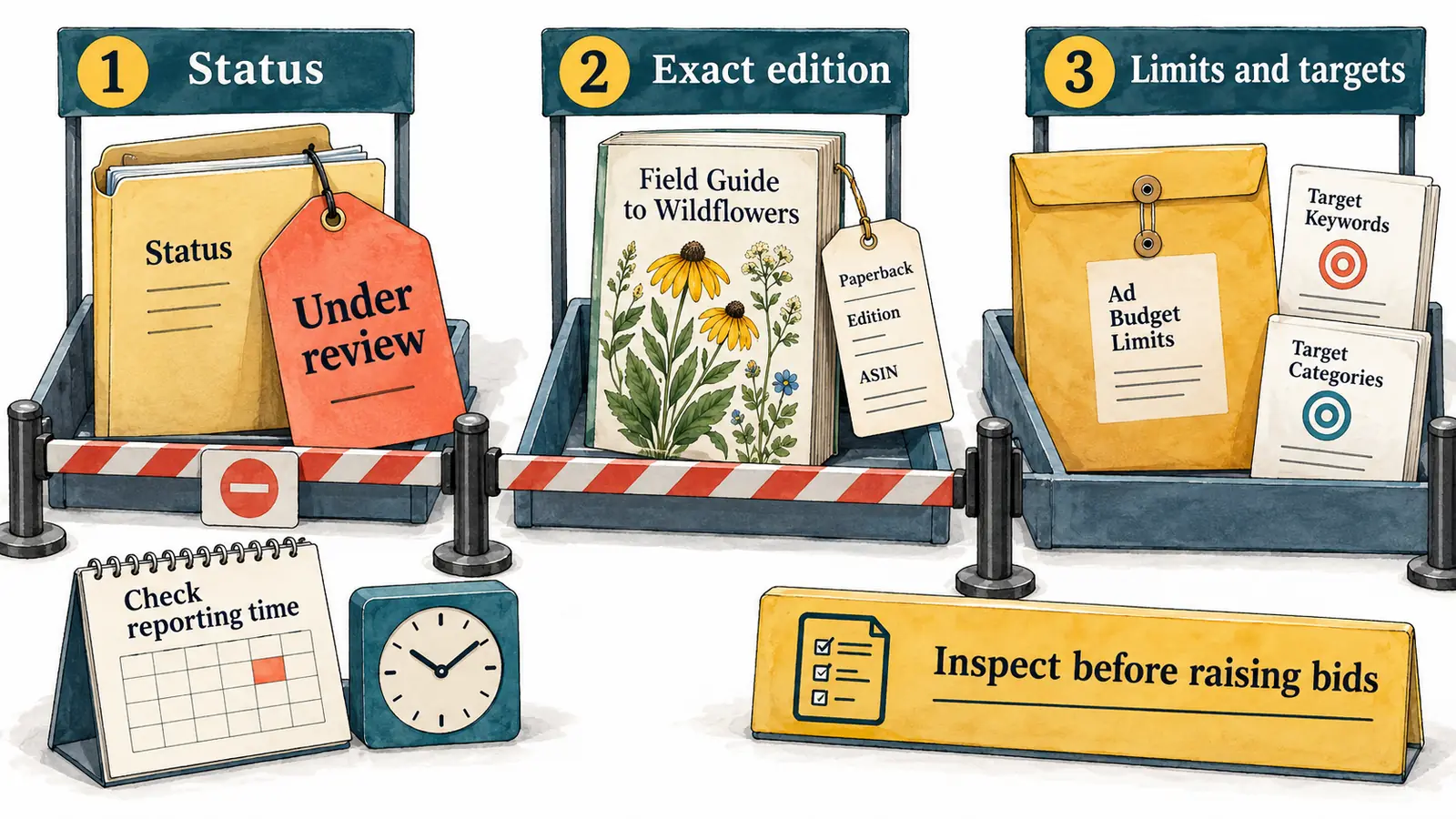
Amazon Ads with no impressions: diagnose delivery before changing the offer
Zero impressions means no recorded ad displays in the view you are inspecting. First verify the account, dates and reporting scope, then work through campaign status, book eligibility, spending constraints and targeting. Only after those checks should you consider an affordable auction test.
This page is for a Sponsored Products book campaign with no delivery. If impressions are present but clicks are absent, use the no-click checklist. If the problem is purchases or profitability, start with the broader diagnosis instead of treating every weak result as a delivery failure.
Check that you are looking at the right campaign
- Correct advertising account and marketplace.
- Exact campaign, advertised edition and ASIN.
- Date range includes the time after the actual start and approval.
- No hidden filter excludes the activity you intend to inspect.
- Report extraction time recorded; recent changes may not be reflected immediately.
Save a baseline before making changes. Compare the campaign's impression column with the configuration view and any relevant notices. Do not use an empty search-term export to establish that a campaign never displayed: that report is filtered to terms producing clicks.
Amazon's impression-troubleshooting help notes that clicks and impressions can take up to 72 hours to appear in the campaign manager. Record when the campaign actually started and when you extracted the data. This reporting guidance is not a promise of delivery, a requirement to keep spending for 72 hours or proof that a current status explains the entire historical period.
1. Read the status and its explanation at every relevant level
Amazon's campaign-status help distinguishes conditions such as draft, scheduled, pending review, rejection and out of budget. Inspect the campaign, ad group, advertised book and targets where the console exposes their status. A campaign-level label alone may not explain a child-level block.
| Observed condition | Check | Next action |
|---|---|---|
| Draft or future start | Submission and scheduled dates | Complete the intended setup or wait for the chosen start |
| Paused or ended | Whether the stop was deliberate | Reauthorize only if the campaign is still wanted |
| Pending review | Submission time and review notice | Follow the moderation process, not a bid increase |
| Rejected or restricted | The specific reason and affected asset | Correct it or seek clarification before resubmission |
| Out of budget | Actual spend and applicable limits | Investigate the constraint and affordability |
| Delivering | Child status, eligibility and actual impressions | Continue the checks; eligibility is not a volume guarantee |
Moderation is not an auction problem
The book moderation guide says review is usually completed within 24 hours but can take up to three business days. This is guidance, not a guaranteed completion time. If the ad is rejected, read and address the actual reason. Duplicating an unchanged rejected ad or increasing a bid does not resolve its policy issue.
Do not treat a book's publication as proof of advertising approval. Retail availability and ad eligibility are different. If the stated review window is exceeded or the notice is unclear, assemble the evidence for support instead of repeatedly rebuilding the campaign.
2. Verify the exact book in the target country's store
Open the advertised edition, not just a combined book-family page. Check availability, format, language, currency and the offer a reader in the target territory can use. A purchasable used copy or third-party listing does not necessarily make the intended author ad eligible.
Check the author-specific Featured Offer rule
Amazon's Sponsored Products eligibility help states that ads created through an author advertising account show only when Amazon itself, not a third-party seller, is the book's Featured Offer. Inspect the actual offer and the console's explanation; do not apply Seller Central remedies automatically to a KDP author account.
Record the edition and the time of your check. A snapshot of availability can help explain a temporary block, but it does not prove the offer was unchanged all week. If the book cannot be selected or its identity is wrong, follow the current eligibility and catalog-support workflow rather than substituting another edition without noticing.
Keep account and title claims consistent
Where an Author Central claim is required, check the linked account and pen name. KDP's advertising help describes author setup and support responsibilities. Confirm the relevant requirement for this title rather than opening duplicate accounts to work around a missing catalog entry.
3. Separate missing authorization from unused authorization
Inspect the campaign's budget, dates, active rules and any higher-level limit actually shown in your account. Check payment or billing notices through the official console. A rejected payment, a deliberate pause and a campaign that simply has not won an auction are different conditions.
If a campaign has no recorded clicks or spend but appears budget-blocked, investigate the status and applicable limits before adding money. If substantial spend exists elsewhere, the view or scope may be wrong. Keep the evidence instead of assuming that every budget notice means this one campaign consumed its allowance.
Do not raise the budget to solve an auction blindly
An unused budget does not create eligible demand. Nor does a budget recommendation calculate the author's affordable CPC. Use the budget guide for authorization and the bidding guide for auction exposure, including modifiers.
4. Audit what the campaign is actually allowed to match
Check that targets are enabled, relevant and appropriate for the advertised country and edition. Inspect match types, automatic groups or product targets, and any negative targeting whose scope could block the intended traffic. Amazon's targeting guide explains the controls.
| Targeting issue | Evidence to inspect | Controlled response |
|---|---|---|
| Very narrow phrase | Reader fit and whether broader relevant language exists | Test one defensible alternative, not unrelated volume |
| Conflicting exclusion | Negative phrase, match type and scope | Correct only the unintended block |
| Product mismatch | Targeted edition, category and reader | Replace with a genuinely comparable context |
| Disabled target or group | Current configuration and intended test | Enable only what the allowance authorizes |
| Language mismatch | Book language, local reader intent and requirements | Use relevant local context and verify eligibility |
A missing impression is not proof that nobody wants the book. It may reflect restrictive matching, bidding, availability or demand within this specific context. Do not publish a fabricated search-volume number to fill that uncertainty.
5. Test the remaining hypothesis with a cash boundary
Write what the change should demonstrate
Fictional hypothesis: "The eligible campaign may be restricted by one overly narrow target. Test a small group of relevant alternatives while keeping the edition, price and bidding configuration stable."
If auction competitiveness is the remaining question, compare the proposed adjusted bid with the edition's economics. Set an observation point and stop condition before increasing exposure. A suggested bid is not a recovery guarantee, and obtaining impressions alone is not proof of profitable traffic.
Change one meaningful variable, record its time and inspect both status and results afterward. Do not simultaneously remove every exclusion, raise all bids, increase budget and replace the cover. If delivery starts, you need to know which hypothesis was supported.
6. Work through two fictional cases
Case A: the campaign never became eligible
An author sees zero impressions in a campaign submitted yesterday. Its ad remains under review, while the daily budget is unused. The next action is to check the moderation notice and elapsed business time, not to raise a $0.20 bid to $1.00. If the review takes longer than the documented guidance, the submission record belongs in a support case.
Case B: delivery stops after an offer change
A campaign previously displayed, but the advertised paperback's Featured Offer is now a third-party seller. The author records the ASIN, marketplace, offer and time, then verifies the eligibility notice. Adding unrelated keywords would not resolve an offer-based author-ad restriction. When the underlying eligibility changes, recheck delivery rather than claiming the old configuration must immediately recover.
These cases demonstrate diagnosis, not real campaign outcomes. Keep changes reversible and do not assume every zero-impression account has either problem.
7. Escalate an unresolved technical block with a useful evidence packet
- Marketplace, campaign and ad-group IDs, plus advertised ASIN.
- Submission, approval, start and last-change times with timezone.
- Status notices at relevant levels and a matching date-range screenshot.
- Availability/offer findings and configuration checks already completed.
- One concise description of expected versus observed delivery.
KDP's help distinguishes setup guidance from technical campaign, eligibility and billing investigations handled by Amazon Ads support. Use the official support channel and follow its requested evidence. Do not share passwords, SSH keys, full card details or unrelated personal data in screenshots.
After delivery begins, move to click-stage diagnosis only if that stage is weak. Use the full troubleshooting map for purchases and economics, or return to the Ads hub.
Sources and scope
Official Amazon Ads and KDP documentation checked: 17 October 2026. Check order, worksheets and cases are editorial diagnostic aids, not findings about your account. Console settings and eligibility can change; current account notices and official help take precedence. No guaranteed delivery, approval time or profitable bid is claimed.
Source access note: Amazon Ads help-center links that return only an application shell were checked through indexed copies on Amazon's own domain. Those are not authenticated account checks. Current console notices take precedence; reporting guidance is not a spending instruction.
Frequently asked questions
Why does my book campaign have no impressions?
Possible explanations include the wrong report scope, a future start, review or rejection, paused configuration, eligibility or availability issues, spending constraints, restrictive matching or an uncompetitive auction. Check those in order rather than assuming one universal cause.
Does Delivering guarantee that my book ad will get impressions?
No. It indicates the campaign or ad is eligible to serve. Inspect child-level status, exact-book eligibility, targeting and actual delivery. The status is not a guarantee of volume or profitable traffic.
Can a live book still be ineligible for advertising?
Yes. Retail availability and advertising eligibility are different. Check the specific title, cover, content, marketplace and account requirements, and address the actual notice rather than assuming publication equals ad approval.
Why does the Featured Offer matter for an author account?
Amazon's current Sponsored Products eligibility help states that author-account ads show only when Amazon itself, not a third-party seller, is the book's Featured Offer. Inspect the exact edition and current console explanation; do not apply Seller Central remedies automatically.
Should I raise bids or budget as soon as impressions are zero?
No. First resolve dates, status, eligibility, availability, payment notices and matching constraints. If auction competitiveness remains the question, test only within the edition's economic boundary and record one meaningful change at a time.
When should I contact support about no delivery?
Escalate an unresolved technical or eligibility block with campaign IDs, ASIN, marketplace, dates, status notices, matching report scope and completed checks. Use official support channels, and omit passwords, keys and full payment details from evidence.